Windows OS Hygiene
Using DISM (Deployment Image Servicing and Management)

You should always keep your weapons sharp when conducting a guerrilla campaign. As a keyboard warrior, I tender some advice below.
As an old retired computer geek (he says with some shame), I do this on a routine basis, maybe monthly. It will usually cure what ails your Windows install. If not, no harm done.
Instructions mostly courtesy of ChatGPT, I can never remember them:
To use the DISM (Deployment Image Servicing and Management) restore health command in Windows, follow these steps:
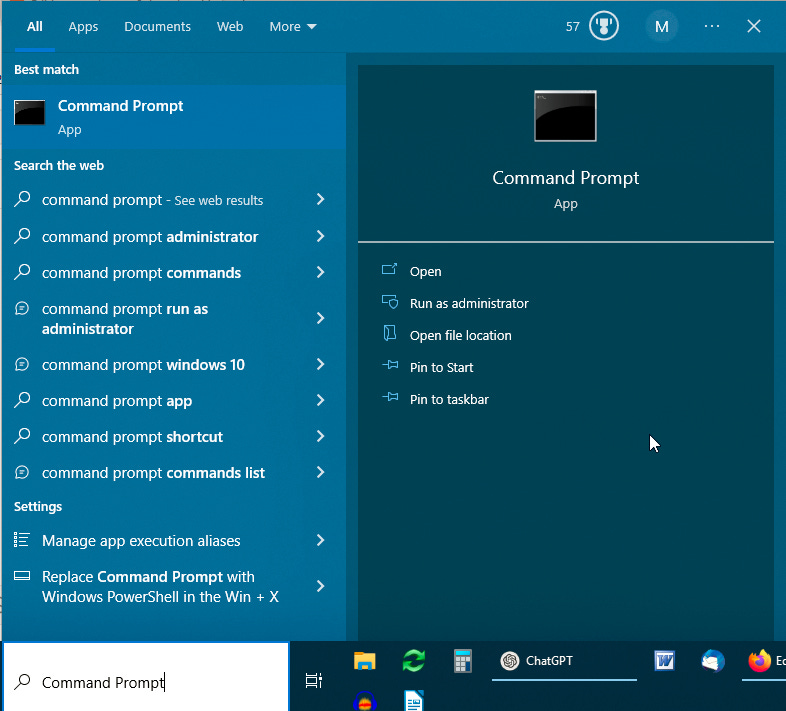
Open the Start menu and type "Command Prompt".
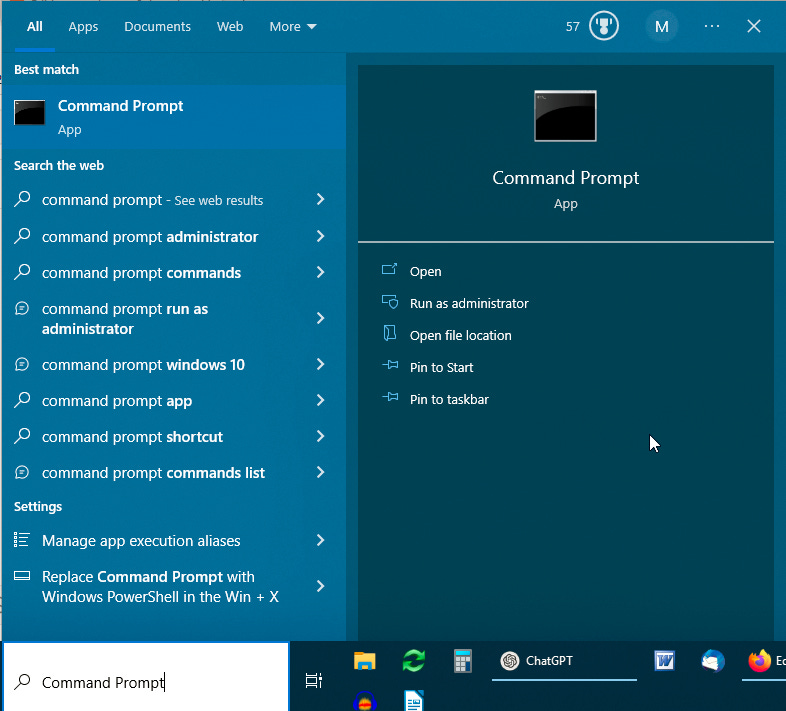
Right-click on the Command Prompt option that appears and select "Run as administrator" from the context menu. This will give you an elevated command prompt with administrator rights. Confirm that this is OK when prompted.
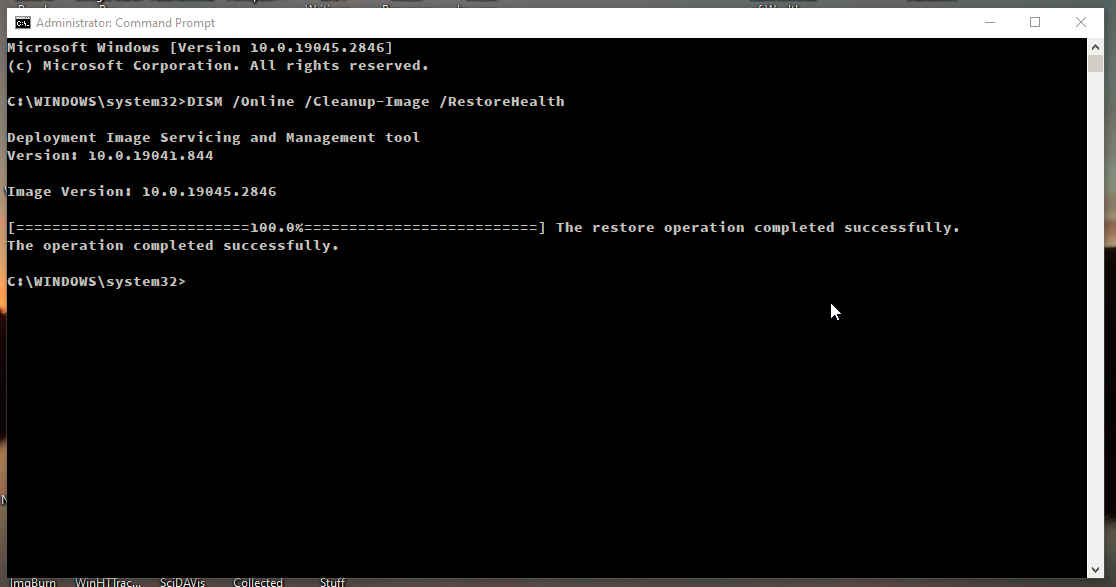
Once you have the administrator command prompt open, type the following command and press Enter:
DISM /Online /Cleanup-Image /RestoreHealthThe command will begin to run and may take several minutes to complete. It will scan your system for any issues and attempt to repair any corrupted or missing files.
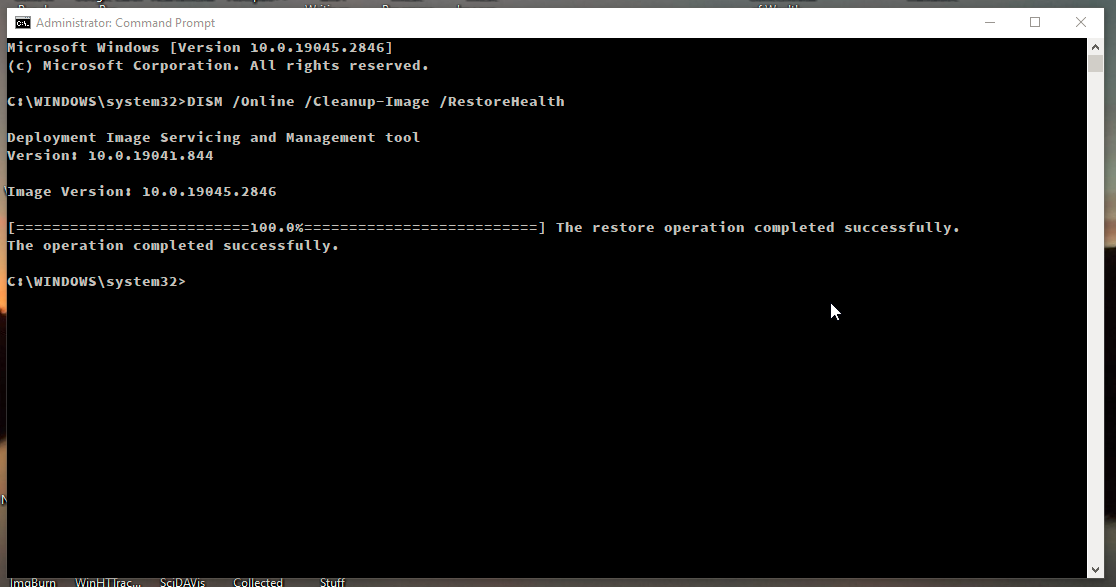
Once the process is complete, you will see a message indicating whether the repair was successful or not. If the repair was successful, you can close the command prompt and continue using your computer.